Cross country
Every mile logged.
Every week on target.
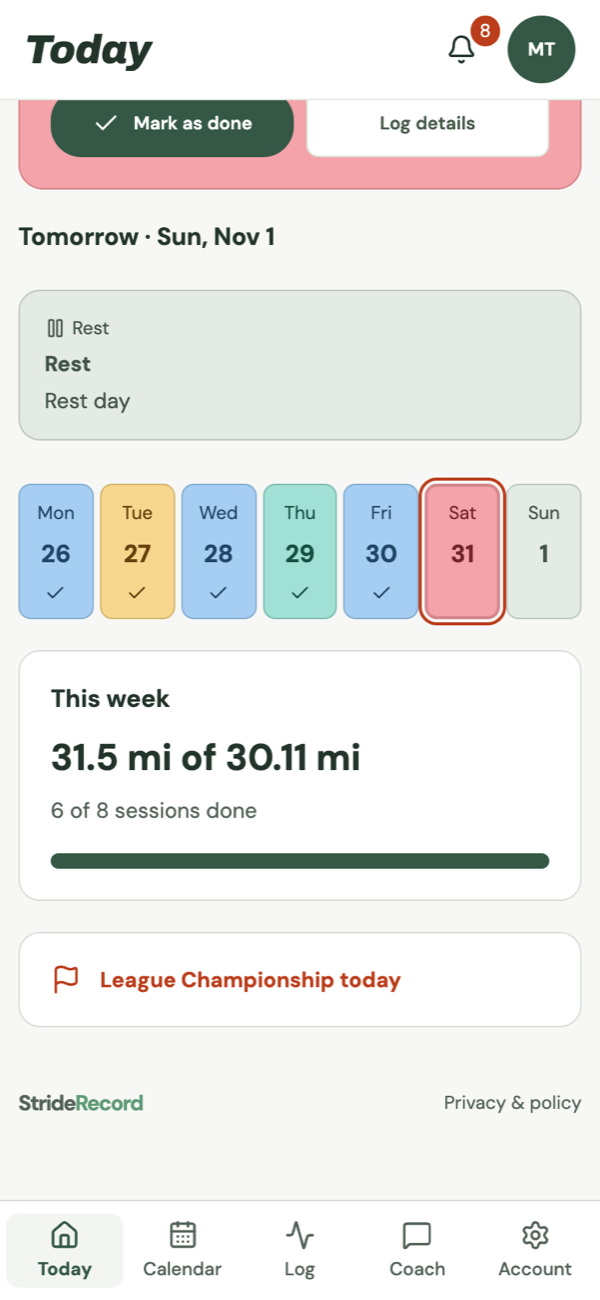
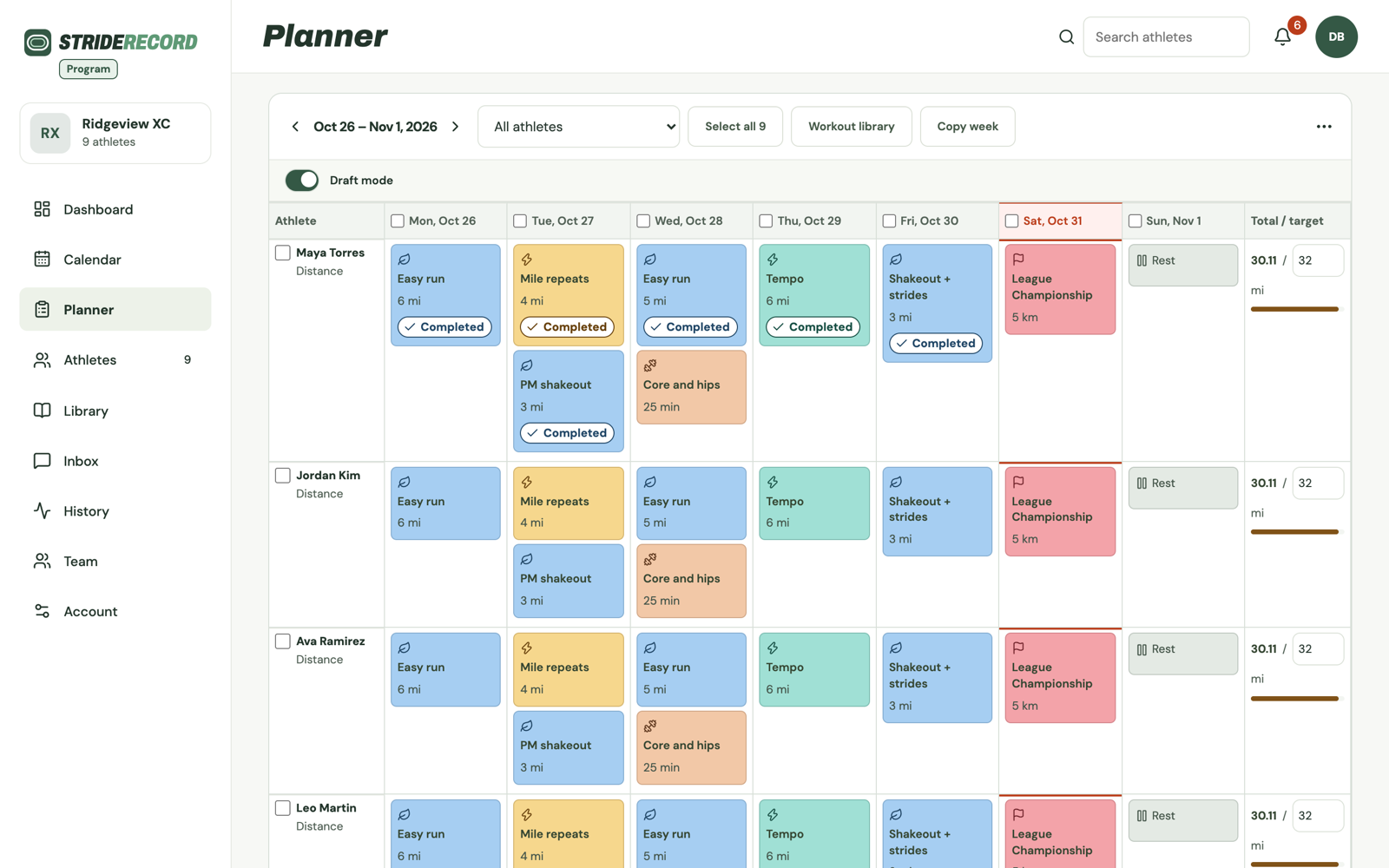
Set each runner's weekly mileage. Runners log every run from their phone and see their week add up. You see it all in the Planner.
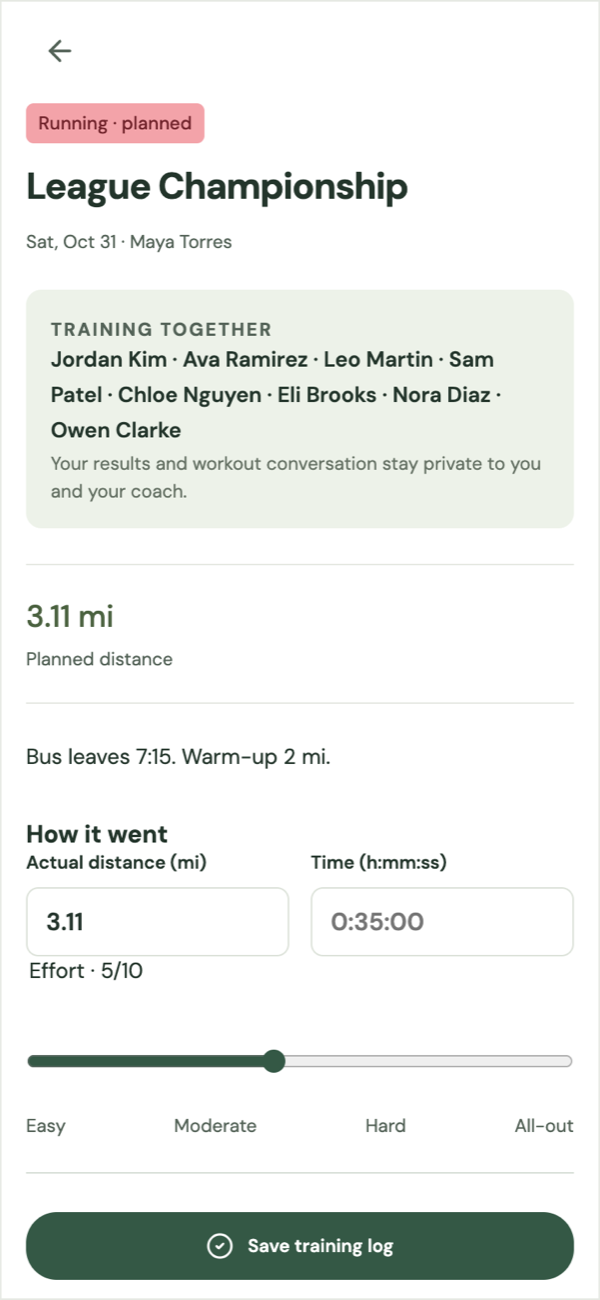
Logging that runners actually do
A few taps after the cool-down.
College and club runners can also import runs from Strava or GPX files.
Weekly mileage target
Planned, target and done, side by side.
Every runner has a Total / target column in the Planner: the week's planned miles next to the target you set.
Their history
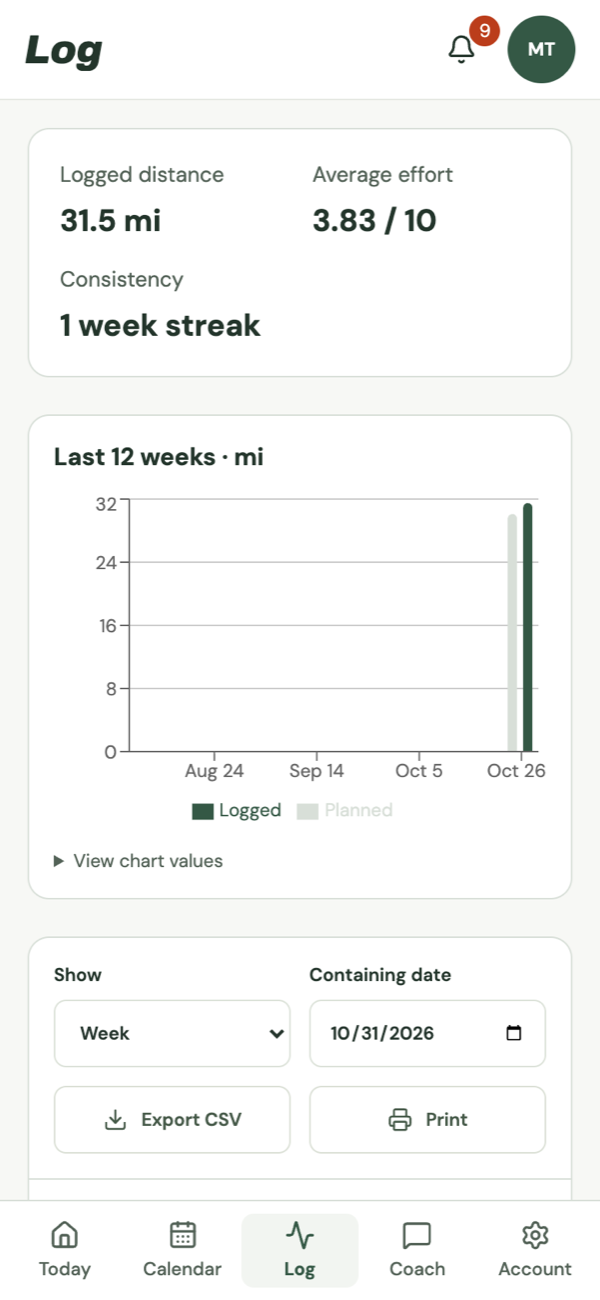
Every week adds up.
Runners see their logged distance, average effort and streak, with the last 12 weeks of logged and planned miles.
- Calendar. The whole week or month you planned.
- Export. Download logs as CSV or print them.
Log every mile. Hit every week.
How do runners log their miles?
They open today's run, tap Log details, enter distance and time, set their effort and save.
Can I set a weekly mileage target?
Yes. Set a weekly target for each runner in the Planner. Runners see their week's miles on their phone.
Can runners log summer miles?
Yes, from any phone, wherever they are.
How much does it cost?
Team is $25 a month for up to 20 runners and Program is $35 a month for up to 50.